Private by design · pre-release

Your clipboard, everywhere — without turning it into someone else's data.

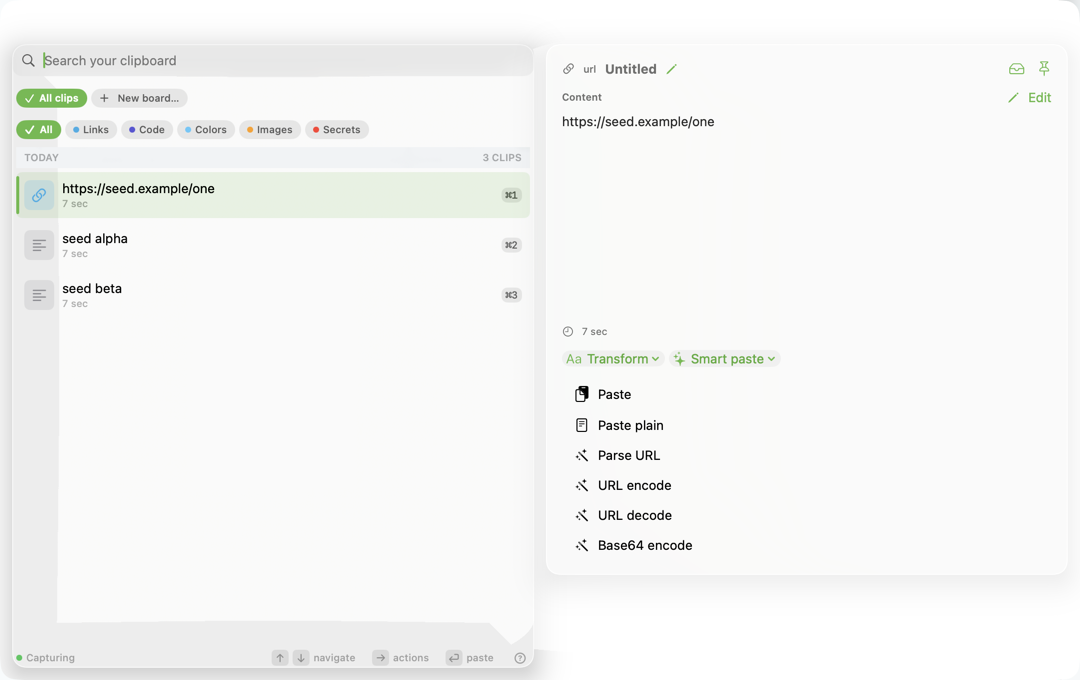
Gancho is a local-first clipboard history and curated snippet library for Mac, iPhone, and iPad. Capture safely, find instantly, reuse anywhere, and sync through the user's own iCloud account.

Early builds are for testers and maintainers while signing, TestFlight, and App Store launch pieces are finalized.

Gancho History
TextRelease checklist for direct downloadsSaved 2 min ago · expires in 1 year
ImageDesign mark for launch pageEncrypted locally · not sent anywhere
Codegancho mcp status --jsonLocal MCP · metadata-only access log
iCloud syncUser-owned, encrypted records
Sensitive content vetoedConcealed and transient pasteboards are skipped before read

Privacy invariants

Clipboard memory that earns trust before it earns convenience.

Gancho treats copied content as private user data. The always-on loop observes metadata first, vetoes sensitive pasteboards before reading content, and keeps logs, telemetry, and support bundles content-free.

Veto before read

Password-manager, transient, concealed, and auto-generated pasteboard types are rejected before Gancho reads a payload.

Encrypted local store

History lives on the user's devices with SQLCipher-backed storage and encrypted binary blobs for image-heavy workflows.

No content telemetry

Operational signals are counters and buckets only. Clipboard bodies never belong in logs, analytics, crash reports, or support bundles.

On-device intelligence

Smart recall that never leaves your device.

Gancho's intelligence runs on-device with Apple's frameworks. No clipboard content is sent to a server for it, and detected secrets are excluded from every intelligent feature.

Ask your clipboard

Ask a question and get an answer grounded only in your own history — retrieved by on-device semantic search and OCR, in the app or through Shortcuts and Siri.

Automatic titles

Copied text earns a readable title on-device, so history reads like a list of ideas instead of raw snippets.

Smart Paste

Rewrite, translate, or redact personal data before you paste. Each transform runs locally and is offered only for non-sensitive clips.

Apple platforms first

Automatic on Mac. Intentional everywhere else.

Gancho starts where clipboard history is most powerful — the Mac menu bar — and extends to iPhone and iPad through explicit capture surfaces: Share Extension, keyboard, widgets, App Intents, and foreground actions.

macOSMenu-bar history, fast search, paste-back, snippets, and boards.
iOS & iPadOSIntentional capture, keyboard access, widgets, Live Activity, shared encrypted storage, portable backup and restore, and iPad keyboard shortcuts.
Future clientsSync and store boundaries keep room for visionOS, watchOS, Windows, Linux, and Android without replacing the core.

Local integrations

Your clipboard can help your tools without becoming a cloud service.

The `gancho` CLI and local MCP server expose user-approved clipboard context to local agents and editors. Access is opt-in, scope-limited, and sensitive clips stay excluded.

Releases

Versioned like a product, even before public launch.

Release metadata is checked in CI: `project.yml`, `CHANGELOG.md`, the Homebrew formula template, GitHub tags, macOS ZIP artifacts, and Pages deployment move together.